Where it started
“Okay, but where do the equations come from?”
Greetings, hope y’all are doing well. You open Instagram and see some random ah reel where someone is plotting equations in Desmos. Then the final picture shows up and you’re like: “that’s so cool gng, I wanna do it too.” And then reality hits: oh heck, where do I even find the equations?
I had this idea in mid-August and texted my friend: what if we made an ML model that takes an illustration and gives us the equations to plot it? But I got no response :)
Then, sometime in late September, I opened the server and Discord and somehow got jumped to that old message. Idk why. It was just sitting there on my screen, and that exact moment I decided I had to build it — for the sake of female Draco Malfoy :D
So I started experimenting
I just needed somewhere to start.
So I started researching how I would even generate the equations. I was going through computer-graphics papers and then I found the ONE: Bézier curves. That paper was so cool to study. It finally gave me a way to imagine turning a messy outline into smaller smooth bits that could actually be written as equations.
And then: CHATGPT TIMEEEEEE. After hours of talking it through with her, I decided to use OpenCV’s edge detection instead of preparing my own dataset and training a model just to find the edges. I wanted to get a working version going first, then see what parts needed more cleverness.
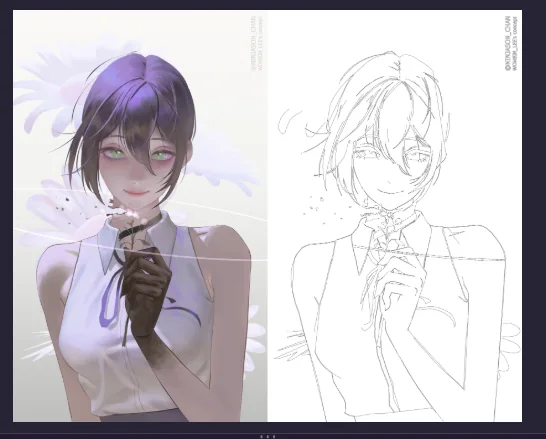
I tested mostly everything with small Python codes: edge detection, color segmentation, different ways to get outlines. (Yes, I love Reze, that’s why I mostly use her for examples.) The project’s tagline is “A Project Dedicated to Cute Anime Girls” for a reason :D
For the first version, the route was OpenCV edges → contours → curves. I didn’t want to get stuck making a dataset and training a model before I even knew whether the rest of the idea would work.
The code in the repo now uses a classic Canny edge pass as its starting point. In normal words: it looks for places where the image changes sharply, like the boundary between hair and background. There are options for a little blur before detection and for closing tiny gaps after it. Those knobs sound small, but they can change which lines survive into the next stage.
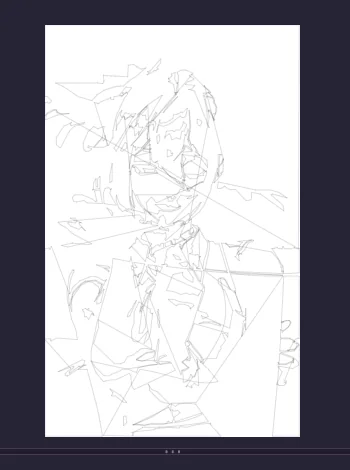
The first edge pass was… enthusiastic. Every texture, shadow and little detail can turn into another contour, so a raw edge map quickly gets noisy. It was useful anyway: it made the problem visible, and gave me something concrete to improve.
That became one of the big lessons of the project: the computer doesn’t know which lines are “important” to the picture. It just sees contrast. A dark eyelash, a fold in clothing and a stray background mark can all look like equally valid edges. The contour step has to turn that pile of edge pixels into paths, split paths where they branch, bridge a few tiny gaps when the endpoints line up, and throw away little noise or marks stuck to the image border.
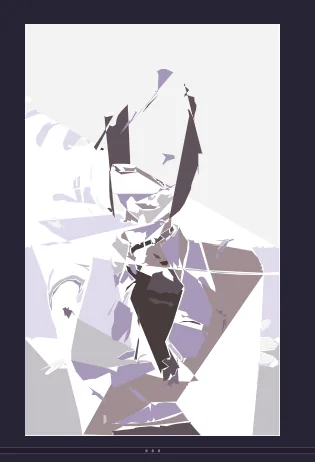
I also played with color segmentation because I was curious whether the big flat regions could become shapes too. It made some cool geometric results, but that experiment isn’t what the current reconstruction pipeline is doing. The version in the repo is focused on line art: find edges, follow them, and fit curves to them. I wanted to keep that distinction clear because the pictures can make it look like the app is doing full color reconstruction.
Then Bézier curves clicked
And then Bézier curves made it click.
While reading about computer graphics, I came across Bézier curves. The idea of describing a smooth shape using a few control points felt like the bridge I needed: contours provide points along the outline, and curves can approximate those points with compact, drawable segments.
A cubic Bézier has four points: where it starts, where it ends, and two handles that pull the curve around. The useful part for me was that those points can be turned into equations for both coordinates. So a segment is not just “draw a smooth line here”; it has an x(t) and a y(t), and as t moves from 0 to 1, the point travels along the curve.
That was the moment the idea started feeling buildable. I could take the paths from an image, simplify them, fit cubic Bézier segments to them, and write those segments as parametric equations for a graphing tool. That became the heart of LiSSARA.
My rough mental picture became: first find paths in the image, then simplify the noisy points, then see if curves can follow them closely enough to plot. The fitter in the repo works adaptively: it tries a cubic, checks how far that curve drifts from the contour, and splits the job into smaller pieces when the fit is too rough. That means a nearly straight stroke can stay simple, while a bendy bit gets more segments.
I liked that tradeoff because one giant equation for a whole complicated outline would be awful to inspect. Smaller cubics keep each local bit manageable. In the app, those pieces show up as path entries and individual cubic segments, with the equations and control points available to inspect. Suddenly the math wasn’t hidden behind the picture anymore.
It slowly became an app
Eventually, I had something people could use.
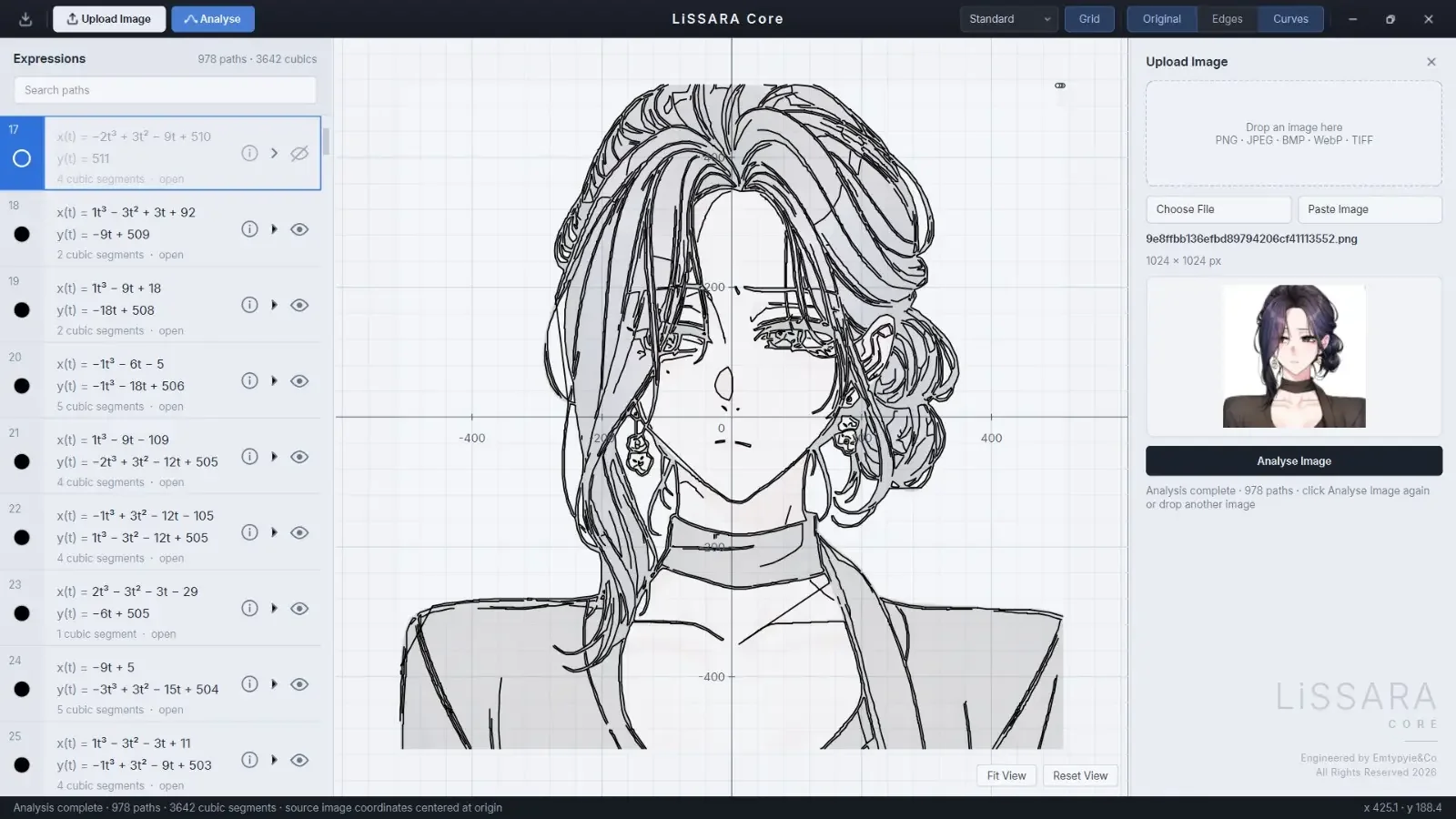
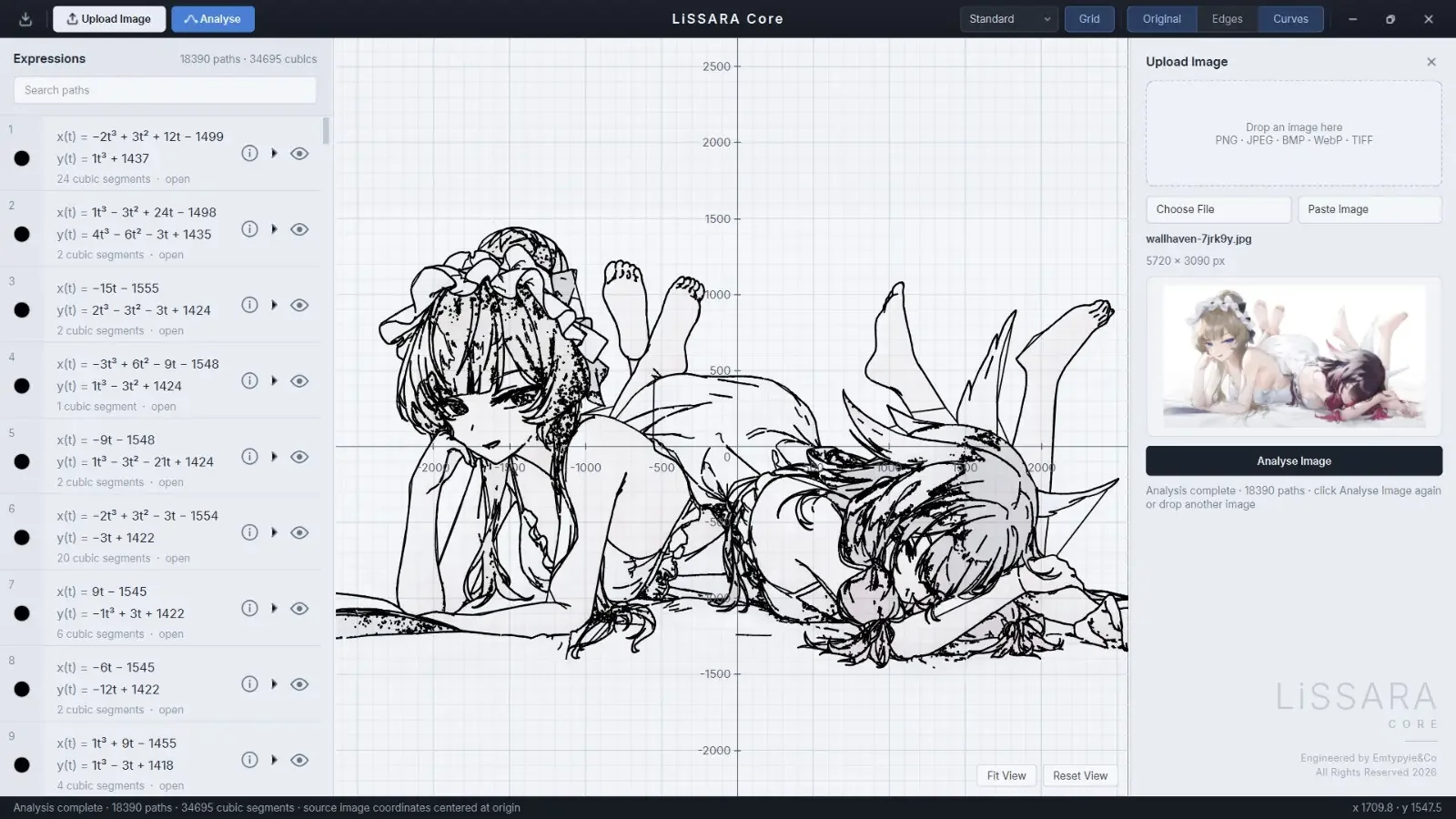
Once the main engine was working, I built the graphing engine and a GUI so people could use it without having to live in a CLI (yes, I know y’all don’t know how to use CLI :D). You can upload, drag in or paste an image, hit Analyse, and then look at the result on an interactive graph. The controls let you zoom, pan, fit the drawing in view and switch between the original, the edge map and the fitted curves.
I also wanted the expression list to feel less like a mysterious dump of thousands of equations. You can search the paths, select one, inspect its cubic segments, and hide or recolor it while looking at the graph. The export options save the equation data as JSON or the curves as SVG. JSON is for the numbers and control points; SVG is for taking the vector drawing into another graphics tool.
There is plenty I still want to improve. Busy images can turn into a ridiculous number of paths, and the result depends a lot on the image and its edges. One of the screenshots here has 978 paths and 3,642 cubic segments; another run shows 18,390 paths and 34,695 cubics. That difference is a pretty good reminder that the source image matters a lot. More detail can mean a much bigger pile of maths to search through.
The graph uses the image’s coordinates, centered around the origin, so the drawing sits around (0, 0) instead of way off in positive pixel land. It’s a small choice, but it makes the result feel like something you can actually explore on a coordinate plane. And the first time I watched an illustration appear from those curves, I just sat there thinking: this is so cool.
How the build actually went
Three days of building, and a little debugging help.
LiSSARA Core was developed in-house by me (yes, me). The main build took me about three days — 15 hours, 10 hours, then 8 hours. I also spent two days researching how to generate the equations, mostly following papers, tutorials and docs until the pieces started making sense.
And yes, I used Codex to debug the GUI and add a few features after I made the initial version. The first GUI was mine; out of those three long days, just 56 minutes were Codex time. I still had a great time building it :D
Anime2Sketch is still on the “maybe when I have free time” list. The repo even has an adapter for exploring it, but it isn’t the normal path the app uses right now. For this version I wanted to see how far I could get with the simpler edge-to-contour-to-curve idea first.
Curious about the project or want to follow along?
LiSSARA lives on GitHub.
The rabbit holes I went down
Stuff I read along the way.
- Canny, J. (1986). A Computational Approach to Edge Detection. IEEE TPAMI, 8(6), 679–698. DOI ↗
- OpenCV — Edge Detection Using OpenCV ↗
- Pomax — A Primer on Bézier Curves ↗
- Douglas, D. H. & Peucker, T. K. (1973). Algorithms for the Reduction of the Number of Points Required to Represent a Digitized Line or Its Caricature. Cartographica, 10(2), 112–122. DOI ↗
- Encyclopedia of Mathematics — Bézier Curve ↗